
Menu
Insignia Steam Generators: What Size Does Your Room Need?
By admin | Uncategorized
By admin | Uncategorized
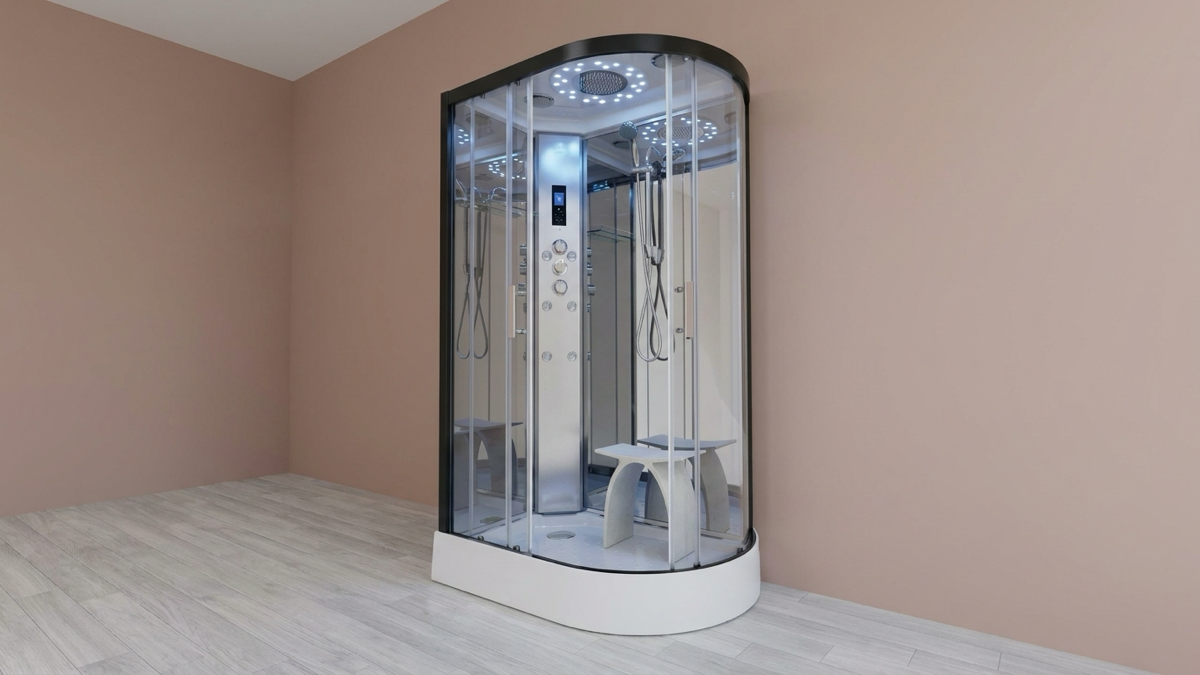
Insignia’s HomeFit 3kW retrofit kit suits existing shower rooms under roughly 120–125 cubic feet; anything bigger, or a purpose-built steam room, needs the Signature range (7.5–18kW), sized to your room’s length × width × height using the standard steam-industry cubic-footage method, then rounded up to the nearest Insignia step.
You’re stood looking at Insignia’s range, weighing up whether to play it safe with a bigger unit or pick on price and hope the room copes… get it wrong either way and you’ve either overspent on kW your room never needed, or you’re stepping into a session that never quite gets properly hot.
By the end, you’ll know exactly which Insignia size your room calls for… no guessing, no rounding down to save money on a spec that won’t cope.
We’ll cover how sizing actually works, Insignia’s two entry points… HomeFit versus Signature… and what goes wrong at either extreme.
Forget the model name for a moment… sizing starts with a tape measure, not a spec sheet.
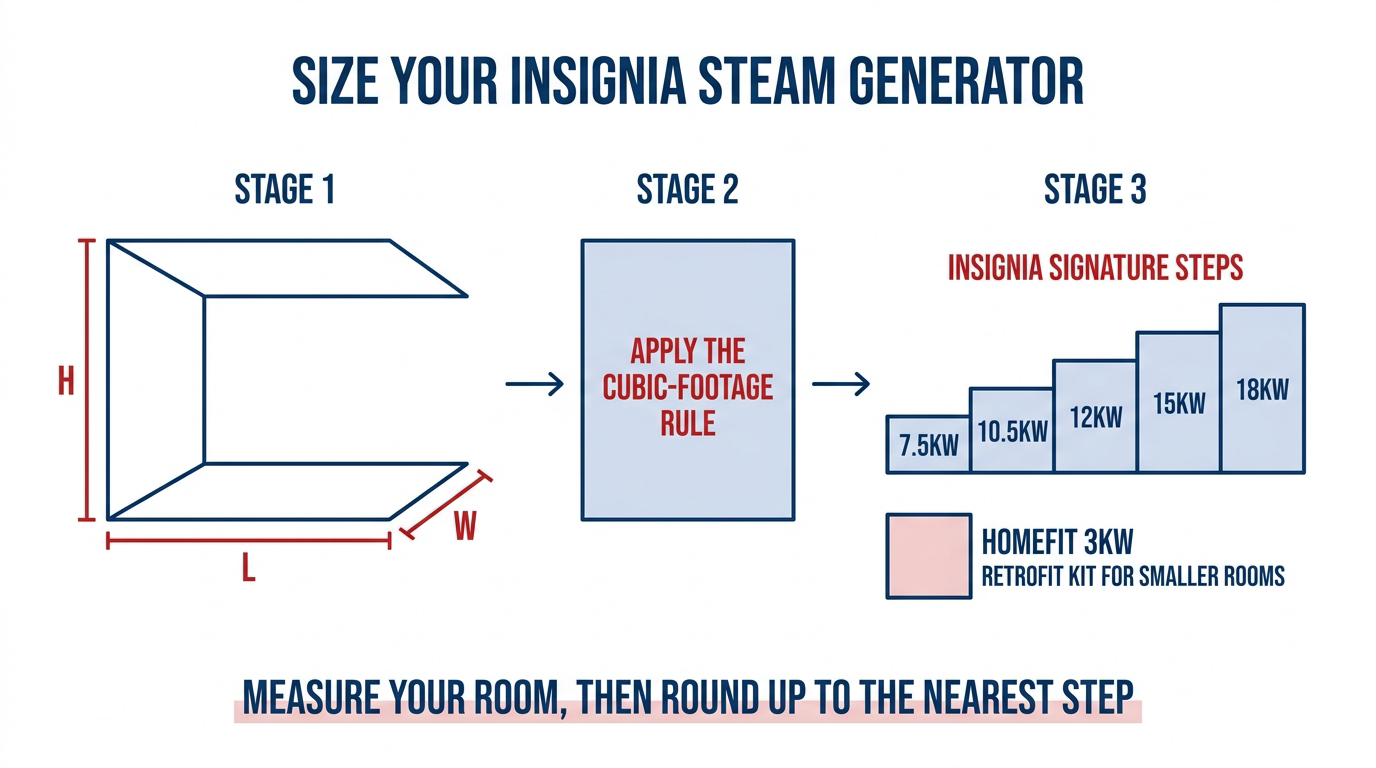
The method is simple: measure length, width and height in feet, multiply for the cubic footage, then apply the industry rule of roughly 1kW per 45–50 adjusted cubic feet. That’s a general steam-industry method, not an Insignia-published figure.
Q: Does that number stay fixed once you’ve calculated it?
A: No… a few things push it up. Natural stone or marble surfaces roughly double the required output. Tiled glass panels add around 15% each. A ceiling taller than the standard 7–8ft adds proportionally more again, so a tall, stone-lined room needs noticeably more kW than a plain tiled one of the same footprint.
One thing to measure first… if you’d rather work through the exact maths than round to the nearest Insignia step, SPW’s own sizing calculator walks through the same method in full.
Insignia only gives you two routes in, not a dozen confusing options.
The HomeFit 3kW retrofit kit is built for converting an existing shower rather than building a steam room from scratch. It comes with Bluetooth touch control, RCD overload protection, auto drain and O3 ozone sterilisation, and carries a 2-year warranty once you register it.
Step up to the Signature range and you’re in stainless-steel territory: five fixed sizes… 7.5kW, 10.5kW, 12kW, 15kW and 18kW… built with overheat protection, sectional heating, low water level protection and a waterproof touch control panel. Warranty is 12 months as standard, extendable to 2 years with an approved water filter fitted.
Q: Is bigger always the safer Signature choice?
A: Not automatically… the right Signature step still depends on your room’s actual cubic footage, which is exactly what the next section works through.
Here’s the bit people miss… HomeFit and Signature aren’t interchangeable options, they’re sized for genuinely different rooms.
Insignia’s own guidance is specific about HomeFit: it’s designed for rooms under roughly 120–125 cubic feet, which is why it’s pitched as the retrofit option rather than a from-scratch build. If your existing shower footprint sits under that mark, don’t overspend on a Signature unit your room doesn’t need.
Anything bigger, or a purpose-built steam room, calls for the Signature range. Apply the cubic-footage method from the section above to your room, then round up to the nearest of the five Signature steps.
Straight answer… Insignia’s own published material doesn’t break the 7.5–18kW Signature range down into a specific cubic-footage cutoff per step . Treat the cubic-footage method as a strong starting point, not a guarantee, and check with SPW if your room sits right on a line between two sizes.
If you’re building a steam room from nothing rather than converting an existing shower, our DIY steam room build guide covers the wider build alongside the generator choice.
Getting the size wrong doesn’t fail the same way in both directions.
Undersized is the comfort problem. The generator has to run constantly and struggles to recover heat between bursts, which typically means a weaker, cooler session rather than a proper full-steam one… the classic mistake buyers report, and the reason to size up rather than guess.
Oversized is the cost problem, not the comfort one. There’s no session-quality issue with a generator bigger than the room needs, but it burns more energy than the room ever asked for… a quieter, less obvious way to waste money.
The right size beats the flashiest spec sheet.
Two more checks, easy to skip if you’re focused purely on kW.
Wall and surface material. Natural stone or marble in the steam room pushes the required output up considerably compared with standard tiling… factor this in before you round to a Signature step, not after.
Water pressure. Insignia’s stated recommended range is a minimum of 2.5 bar and a maximum of 3.4 bar. That figure comes from Insignia’s cabin range rather than a separate, standalone-generator-specific spec, but it’s the working number to check your supply against before you order.
Every Insignia generator also needs a proper electrical supply. Under Part P of the Building Regulations, electrical work like this has to be hardwired and RCD-protected by a qualified electrician… not a DIY wiring job, whichever Insignia size you land on. Fittings on the water side should meet WRAS approval too, so ask your installer to confirm both before the unit goes in.
Once you’ve settled on a size, our steam room installation tips cover what the fitting stage itself actually involves.
Q: What size steam generator do I need for a steam room?
A: Measure your room’s length × width × height in feet to get its cubic footage, then use the industry rule of roughly 1kW per 45–50 adjusted cubic feet. Round up to Insignia’s nearest available size… HomeFit 3kW for smaller retrofits, Signature 7.5–18kW for larger or purpose-built rooms.
Q: What size room suits Insignia’s HomeFit 3kW kit?
A: Insignia’s own guidance states the HomeFit 3kW retrofit kit is designed for rooms under roughly 120–125 cubic feet, making it the entry point for converting an existing shower rather than a full custom-built steam room.
Q: What generator sizes does Insignia’s Signature range come in?
A: Insignia’s Signature range runs in five fixed sizes… 7.5kW, 10.5kW, 12kW, 15kW and 18kW, built in stainless steel with overheat protection and sectional heating. The exact cubic-footage cutoff per step isn’t separately published [UNSOURCED — human check: confirm with SPW/Insignia before ordering on a borderline room size], so check with SPW on a borderline room.
Q: What happens if a steam generator is too small for the room?
A: An undersized generator has to run constantly and struggles to recover heat between bursts, which typically means a weaker, cooler steam session rather than a full one… the classic sizing mistake buyers report, and the reason to size up rather than guess.
Q: How long is the warranty on an Insignia steam generator?
A: Insignia’s generators carry 12 months’ parts warranty as standard, extendable… HomeFit to 2 years on registration, Signature to 2 years with an approved water filter fitted.
Once you’ve measured your room and worked out the right kW, browse Insignia’s live steam room generators and kits to see HomeFit and Signature side by side.
Still not sure which way to go? The full Insignia Signature range review covers every feature, accessory and warranty detail beyond sizing.